
Everyday ergonomic comfort
Start with Hammock 1 or Hammock 2
Choose Hammock 1 for focused lower-back contact, or Hammock 2 for a broader, wrapping sensation. Both offer breathable mesh comfort and practical everyday adjustments.
Niture Chair Finder
Start with how you sit and the support you prefer. Compare the Hammock and SINC Series by body fit, sitting character and budget, then shortlist two or three models to try. Height helps narrow the options; your body proportions and comfort preference guide the final choice.
Quick Shortlist
Choose the priority closest to yours. Each option gives you a starting point for comparing Niture chairs, then checking which one fits your body.
Start with Hammock 1 or Hammock 2
Choose Hammock 1 for focused lower-back contact, or Hammock 2 for a broader, wrapping sensation. Both offer breathable mesh comfort and practical everyday adjustments.
Start with SINC Lite
Experience Smart-Glide™ movement support with adjustable seat depth, backrest and lumbar positioning, plus flexible neck and arm support. A padded retractable footrest is included.
Start with SINC
Choose the balanced all-rounder of the SINC Series for focused work, posture changes and supported recline. Combines Smart-Glide™, adaptive lumbar contact and Wintex Mesh.
Compare SINC 2 and SINC 3
Try SINC 2 for defined lumbar contact and the lowest-position Smart-Glide™ lock. Compare SINC 3 if you prefer a firmer, more structured sitting feel.
Start with SINC Air
Consider SINC Air if you naturally prefer to sit slightly leaned back. Smart-Glide™, synchronized arm support and an included footrest support movement between work and relaxed activities.
Start with UltraSinc
Explore Niture’s most complete Smart-Glide™ adjustment package: Wintex Mesh, adaptive lumbar control, forward-tilt upper-back support and synchronized arm support for work, movement and recline.
Found your starting point? Keep two or three models on your shortlist. Check seat fit, lumbar position, headrest reach and maximum load before making your final choice.
Choose Your Chair Family
Both families offer ergonomic adjustments for everyday sitting. The main distinction is Smart-Glide™: every SINC model includes this additional movement-support system, while the Hammock Series uses synchronized recline without Smart-Glide™.
Everyday ergonomic comfort
Choose the lumbar sensation you prefer.
Start here if you want breathable mesh comfort, adjustable seat, neck and arm support, and a choice between focused or wrapping lower-back contact for work, study and relaxed sitting.
Smart-Glide™ on every model
Add support that follows your movement.
Start here if you want closer back contact as you shift position, alongside adjustable body-fit support. Choose the model by your preferred lumbar sensation, sitting angle, materials and adjustment control.
Both offer adjustable seat depth, headrests, armrests and recline, with adjustment ranges varying by model. Check thigh support, lumbar contact and neck reach in the positions you actually use. Your preferred support sensation matters as much as the feature list.
Smart-Glide™ Movement Support
Smart-Glide™ backrest movement and chair recline can be controlled separately. Watch the back-support response with recline locked, then as the user leans back and returns upright.
Use the upright position as your reference, with both Smart-Glide™ and recline locked. This makes the change easier to recognise when movement is activated.
With recline still locked, activate Smart-Glide™ to see the back-support structure respond as the user changes posture. The chair does not need to recline to demonstrate this separate movement.
Follow the back contact as the user leans back, pauses and returns upright. Smart-Glide™ works alongside the chair’s recline rather than being the same movement.
Every SINC model includes Smart-Glide™, with support feel and adjustment options varying by model. During a showroom trial, compare the locked and activated settings, then test recline. Check lumbar contact, seat fit and headrest reach in the positions you actually use.
Two people of the same height can have different thigh lengths, torso lengths, shoulder widths and neck positions. Recommended height is a starting guide, not proof of fit. Use these six measurable chair-fit dimensions to understand whether a chair's available adjustment ranges can suit your body.
Compare dimensions. Then confirm comfort after adjustment.
The vertical distance from the floor to the sitting surface. Compare the available height range against your lower-leg length.
Your feet rest securely on the floor, or on suitable foot support, without uncomfortable pressure beneath your thighs.
The effective sitting distance from the lumbar-support contact area to the front edge of the seat. It is not the same as the physical seat-pan depth.
Sit against the lumbar support. Your thighs should feel supported, with comfortable clearance behind the knees and no need to slide forward.
The height of the lumbar-support contact area relative to the sitting surface. This helps you compare where each chair supports your lower back.
The lumbar support meets your natural lower-back curve comfortably. Stronger pressure does not automatically indicate a better fit.
The vertical distance from the sitting surface to the top of the armrest. Compare the minimum and maximum positions with your natural elbow height.
Your forearms receive comfortable support while your shoulders remain relaxed during keyboard and mouse work.
The horizontal distance between the inner sides of the armrests. This range helps indicate how closely or widely your forearms can be supported.
The armrests support your natural elbow position without squeezing your body or forcing your arms excessively outward.
The vertical position of the headrest relative to the sitting surface. This helps assess whether the headrest can reach your neck at your seated torso height.
The headrest supports your neck comfortably without pushing your head forward. Test both your usual working posture and recline.
The seat pan describes the chair's physical seat dimensions. Usable seat depth describes the effective sitting distance between the lumbar-support contact area and the seat's front edge. UltraSinc provides a useful example.
Why this matters: A 53 cm physical seat depth does not mean the user needs 53 cm of upper-leg length. Seat-slider position and lumbar-contact position can affect the effective sitting distance. Compare both measurements rather than relying on physical seat size alone.
SINC and SINC 2 are the models we recommend: SINC from about 150 cm and SINC 2 from about 145 cm. A showroom fitting is especially useful. Check minimum seat height, shortest usable seat depth, lumbar-support height, armrest reach and whether the headrest can support your neck. A listed height range is a starting point, not a fit guarantee.
Hammock 1 and Hammock 2 have a recommended height range of approximately 158–180 cm. Within that range, compare thigh support, lumbar sensation, inner armrest width and headrest reach. Users outside the range should test the fit before deciding.
Compare the Hammock Series
The same core ergonomic platform, with two different lumbar sensations. Choose by how the lower-back support meets your body: concentrated contact from Hammock 1, or broader, wrapping contact from Hammock 2.
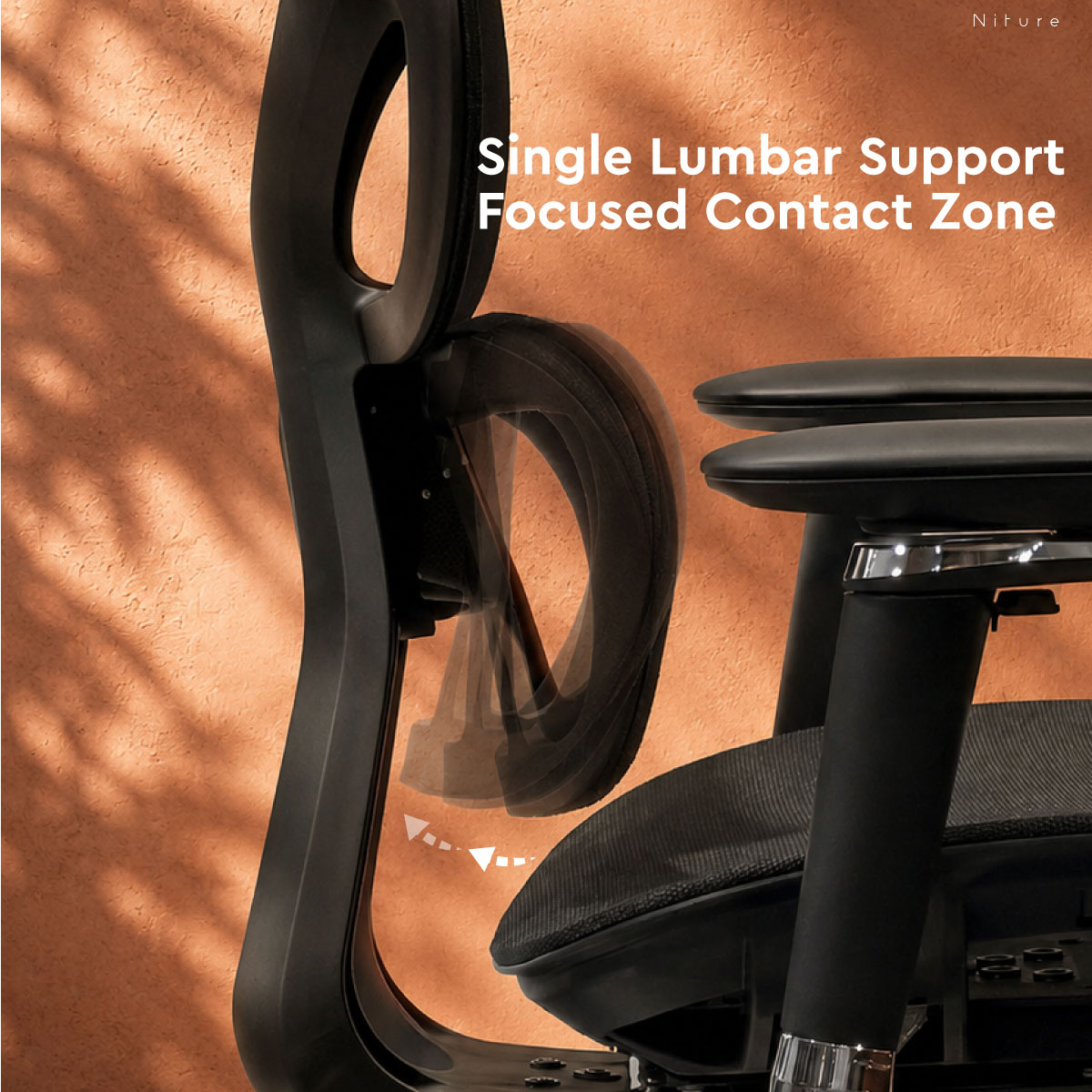
Single lumbar support
Focused lower-back contact.
One lumbar section creates a more concentrated contact area against the lower-back curve. The sensation is more defined for users who like to clearly feel where the chair supports them.
Try this first if: you prefer a distinct, focused support point at the lower back.
View Hammock 1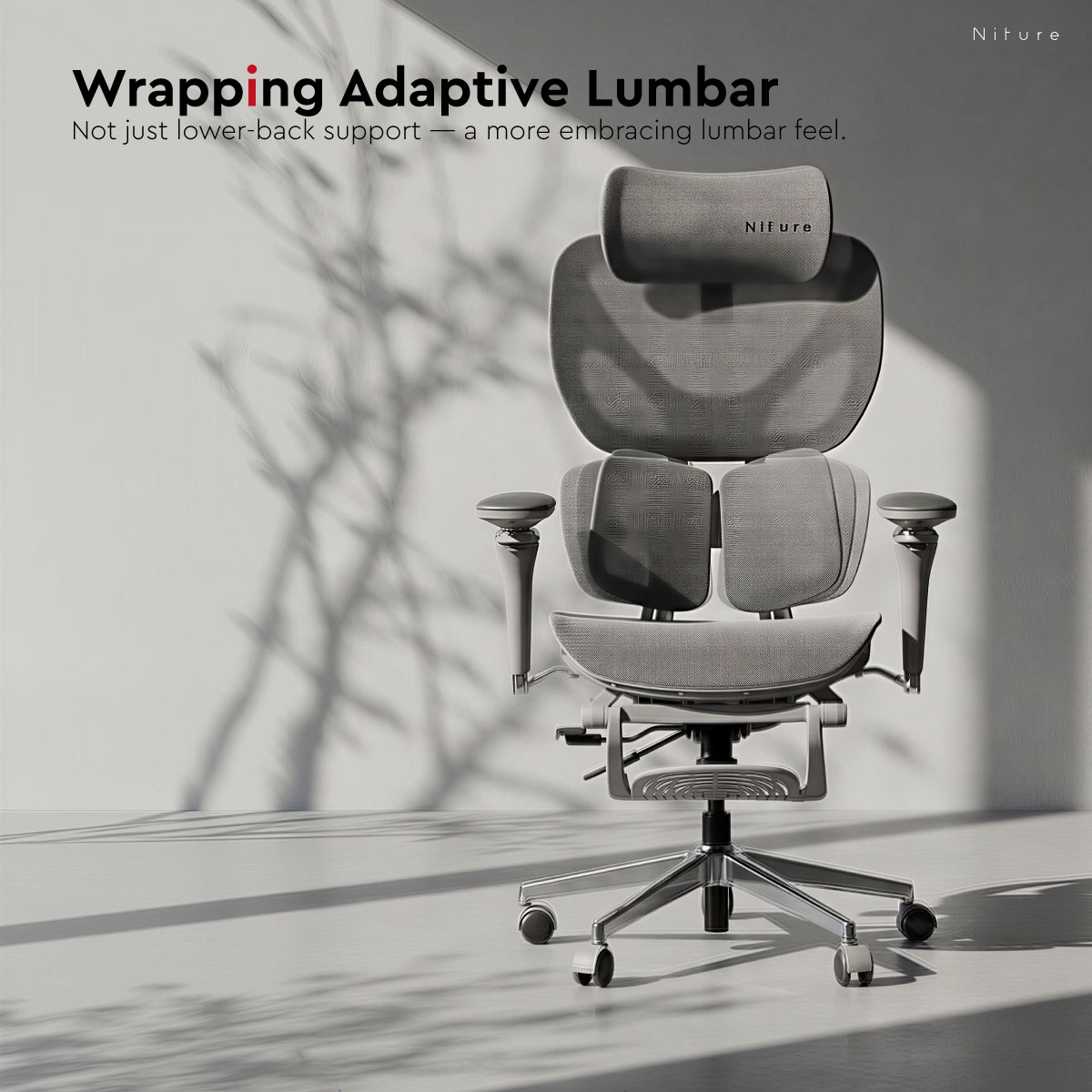
Twin lumbar support
Broader, wrapping contact.
Two flexible lumbar sections spread contact across a broader lower-back area. The sensation is more embracing for users who prefer support to wrap around the lower back.
Try this first if: you prefer a broader contact area and a more surrounding lumbar sensation.
View Hammock 2| Recommended height | 158–180 cm; confirm fit using body proportions. |
|---|---|
| Maximum user load | 110 kg |
| Physical seat pan | Approximately 51 × 51 cm, width × depth. |
| Usable seat depth | Hammock 1 ≈44–50 cm, Hammock 2 ≈43–50 cm, with sliding adjustment. |
| Neck and arm support | 4D adjustable headrest and flexible Dual-Axis arm support. |
| Recline | Synchronized recline with 3 locking positions. |
| Retractable footrest | Included on both models. |
Neither lumbar design is universally better. Adjust the seat and support position before comparing, then check how each lumbar design meets your own lower-back curve. If both models fit, choose the sensation you prefer during work and recline.
One Movement System. Different Sitting Characters.
Every SINC model includes Smart-Glide™. The choice is how you prefer that support to feel, which adjustments matter to you and how the chair fits your body. Compare the six models below to refine your shortlist.
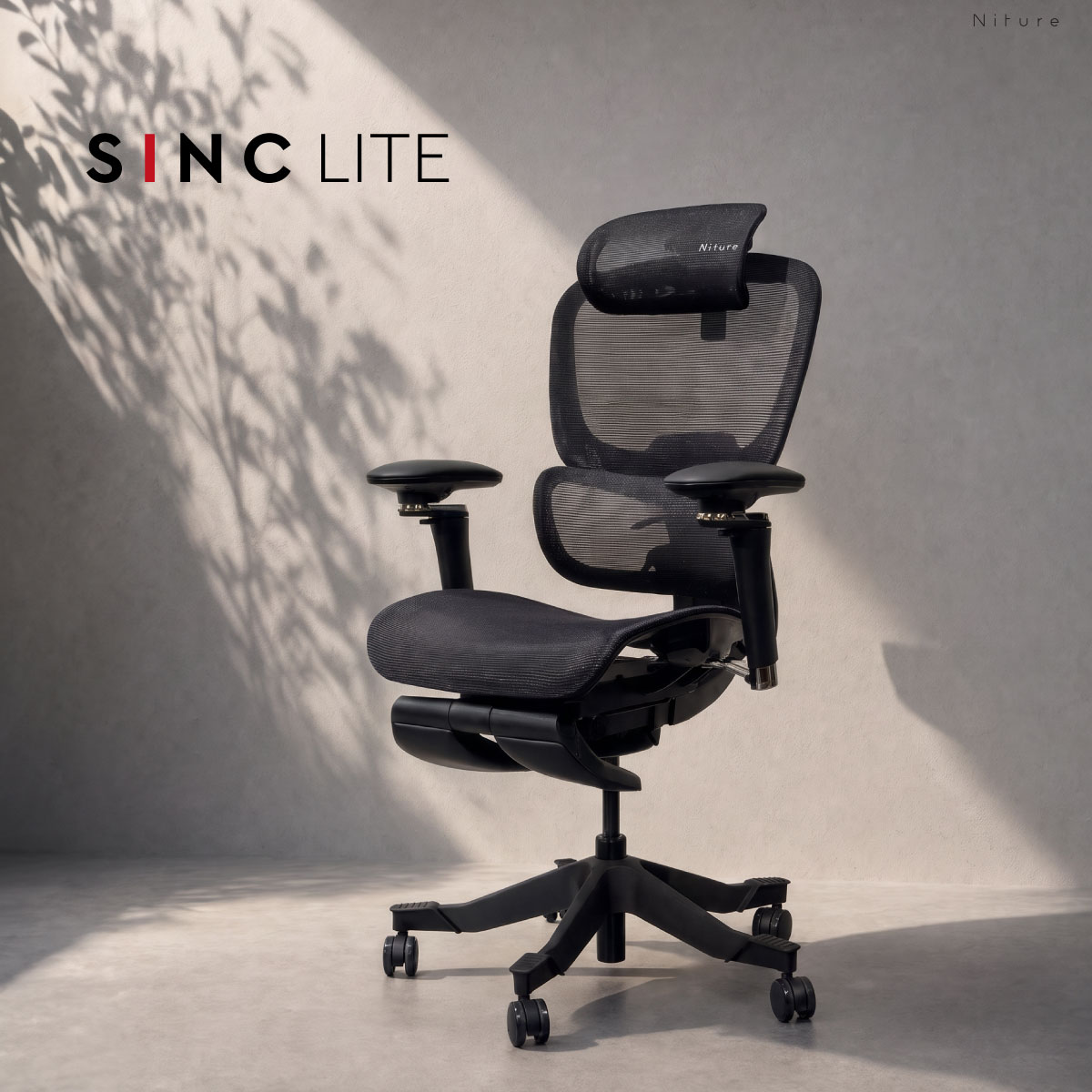
Essential Smart-Glide™
An accessible first step into movement support.
Practical backrest and lumbar adjustment, a 4D headrest and 6D Dual-Axis armrests help you tune everyday support around your body.
Compare with SINC if Wintex Mesh is a priority.
View SINC Lite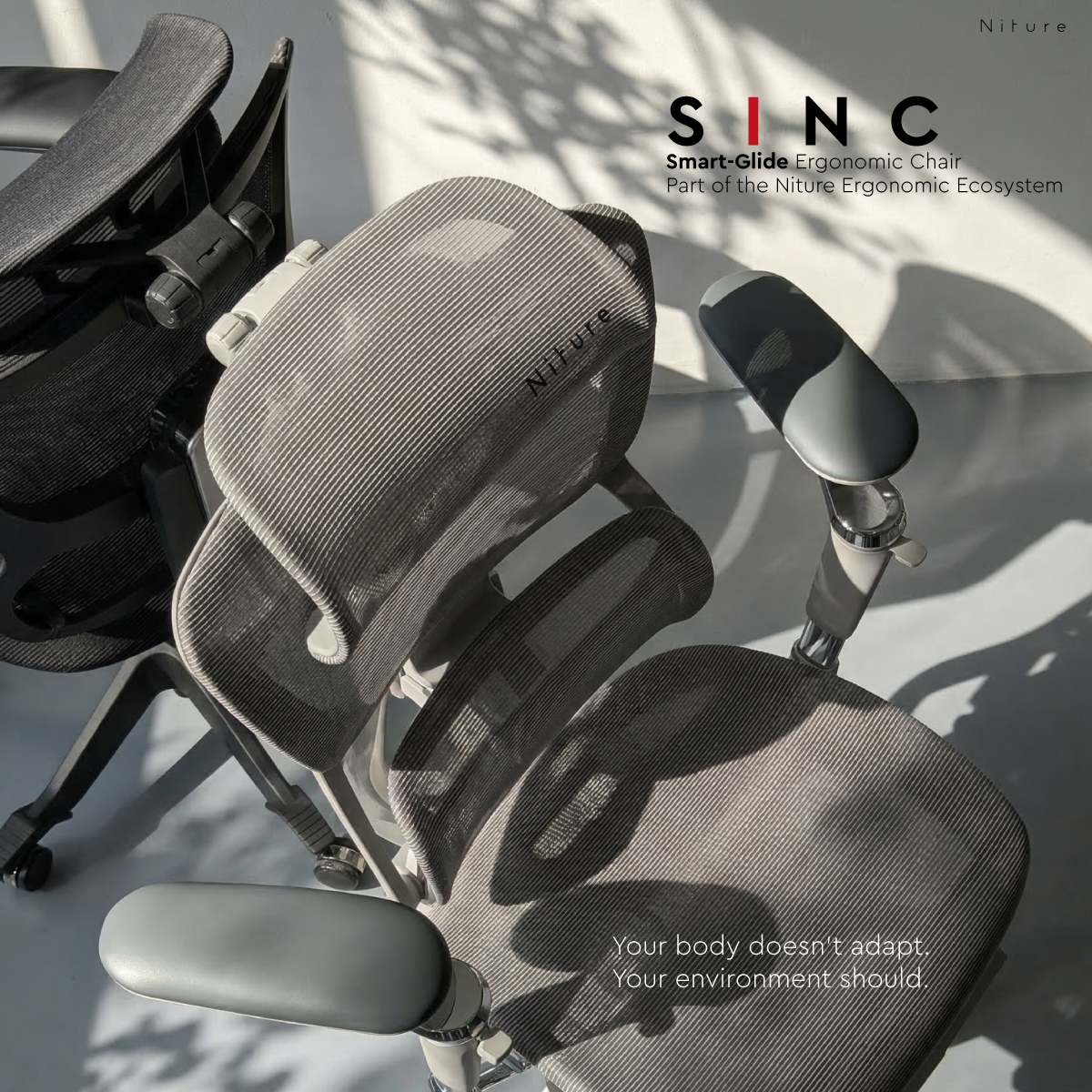
Balanced all-rounder
Balanced support for work and recline.
Combines Smart-Glide™, adaptive lumbar contact and Wintex Mesh for users who move between focused desk work, posture changes and recline.
Compare with SINC 2 if you prefer more defined lower-back contact.
View SINC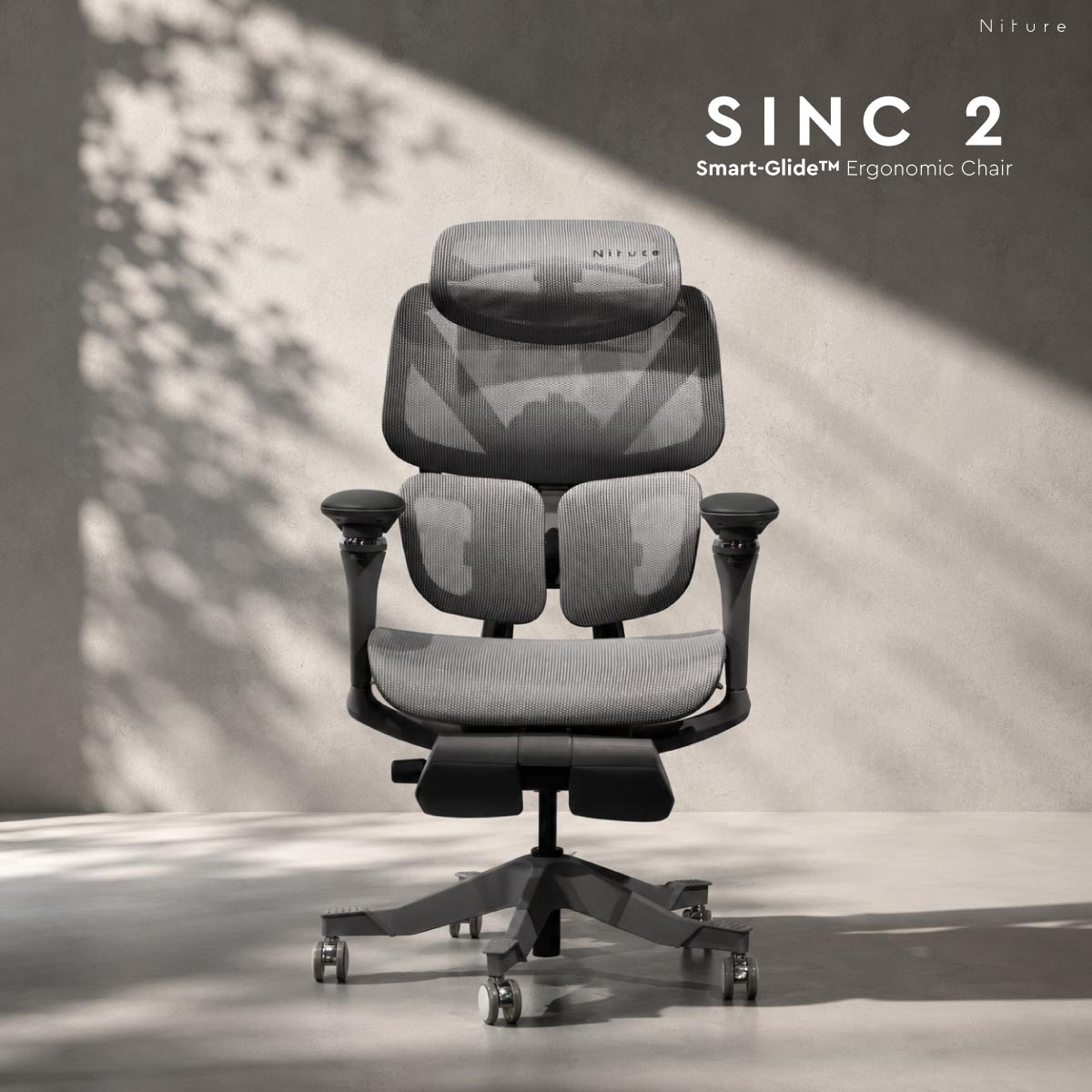
Defined lower-back support
More lumbar contact and movement control.
Twin Dynamic Lumbar Support, Wintex Mesh and synchronized arm support combine with the SINC family’s unique lowest-position Smart-Glide™ lock.
Compare with SINC if you prefer a gentler lumbar sensation.
View SINC 2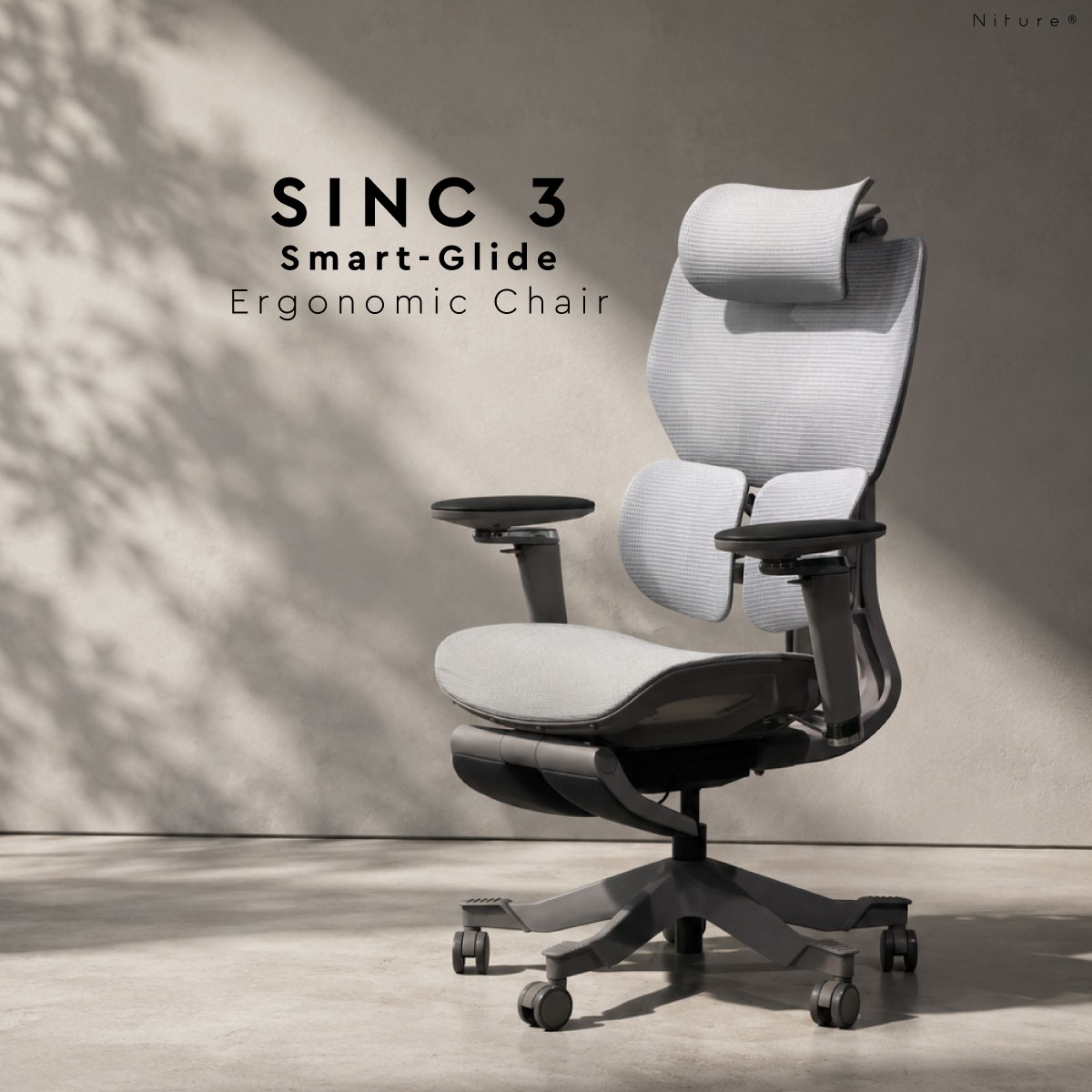
Firm, stronger support
A firmer, more structured sitting feel.
Smart-Glide™ and adjustable lumbar support suit users who prefer noticeable lower-back contact during long work sessions and changes of position.
Try its firmness beside SINC and SINC 2 before deciding.
View SINC 3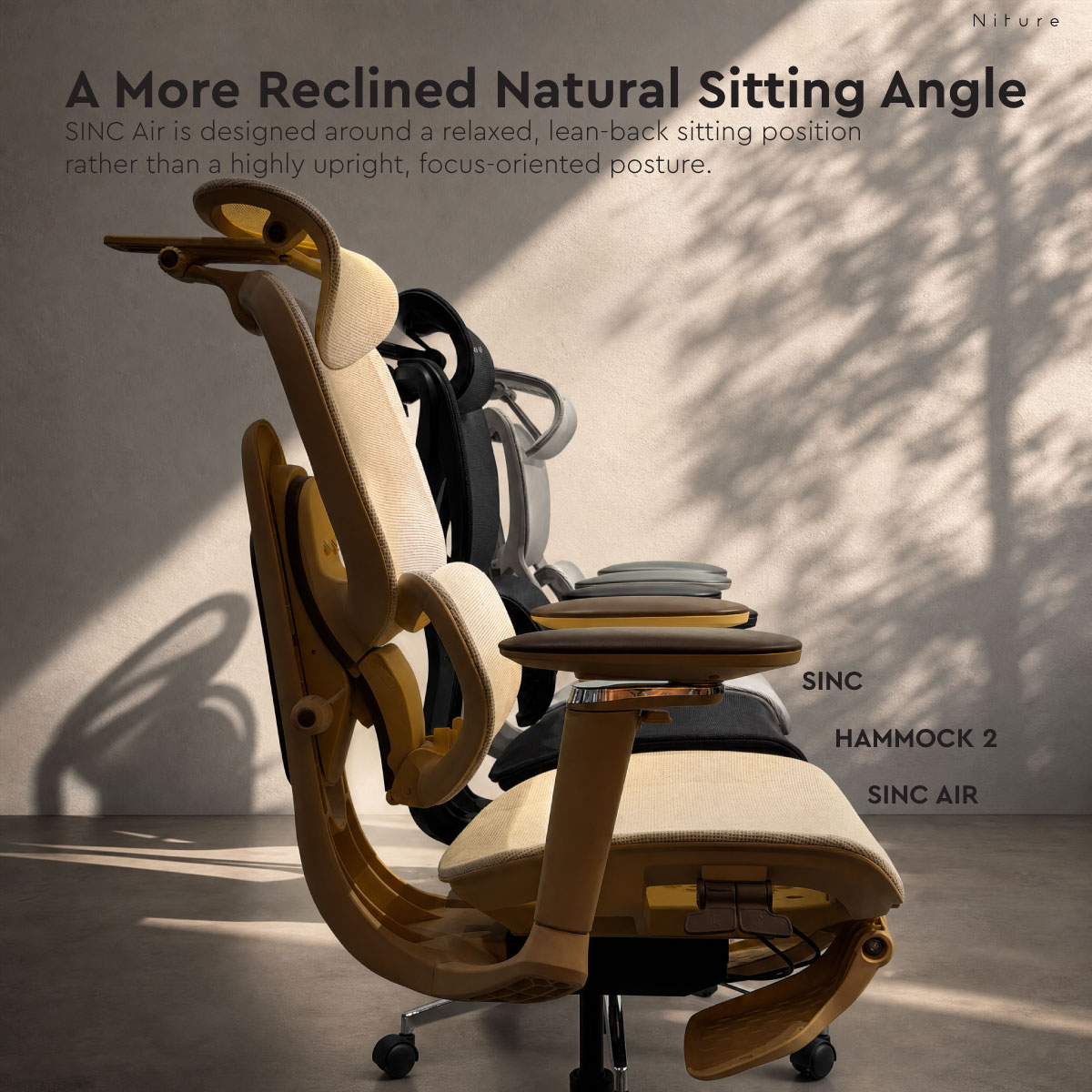
Relaxed + more reclined
For a naturally leaned-back sitting style.
Smart-Glide™, adjustable lumbar depth and synchronized arm support accompany a more relaxed sitting angle for work, reading and reclined breaks.
Compare other SINC models if you strongly prefer upright desk work.
View SINC Air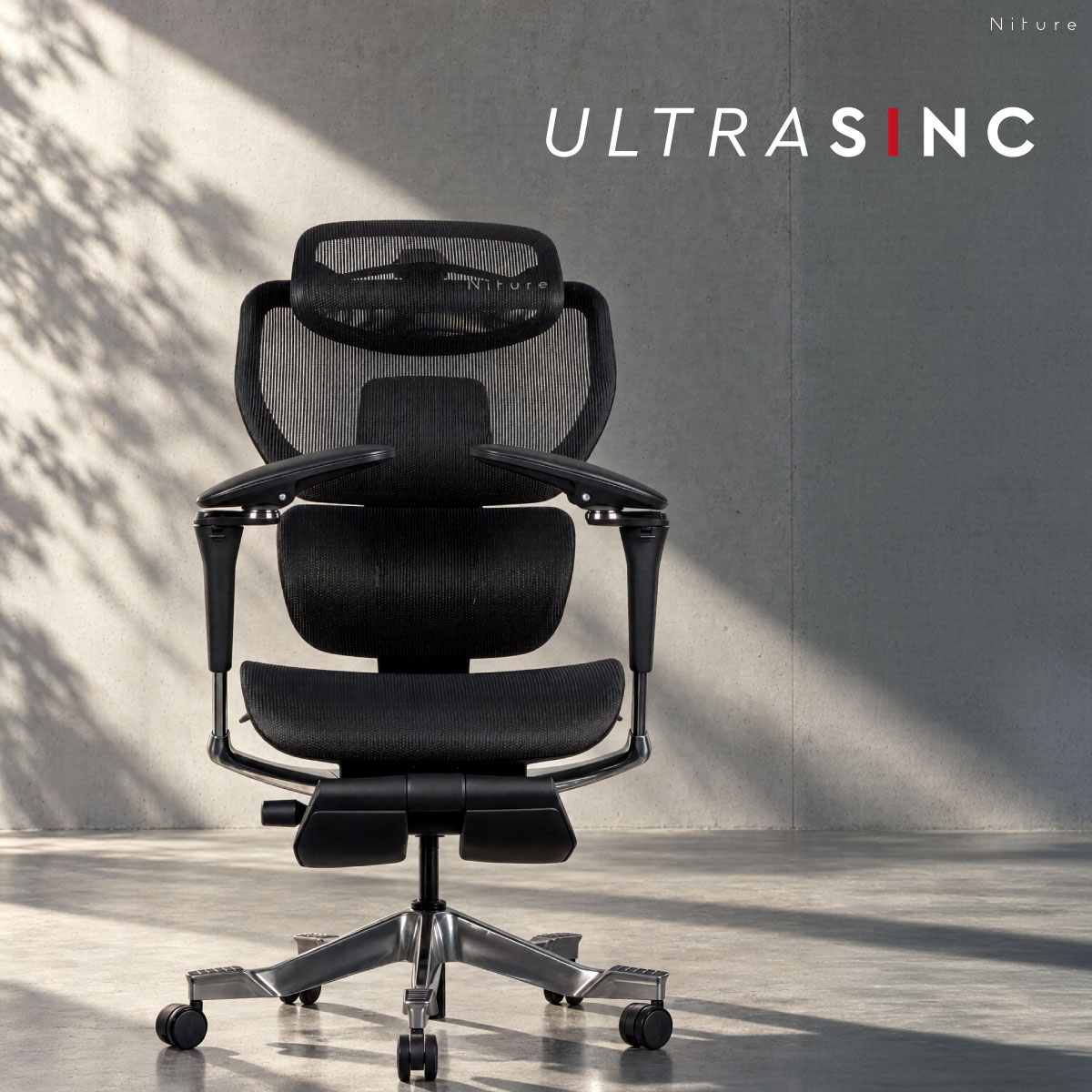
Flagship SINC
Premium materials and extensive support tuning.
Wintex Mesh, adaptive lumbar control, forward-tilt upper-back support and synchronized arm support create Niture’s most complete Smart-Glide™ adjustment package.
Check that its seat, lumbar and headrest settings suit your proportions.
View UltraSincHeight ranges are approximate starting guides. Confirm seat height, usable seat depth, lumbar position and neck reach. SINC Air has a 110 kg maximum load; the other five models shown support up to 130 kg.
Retractable footrests are optional on SINC and SINC 2, and included on the other models shown. Warranty periods refer to selected covered components and are subject to Niture’s warranty terms.
Compare your two or three shortlisted Niture chairs by support character, recommended height, features and budget. Then open the Fit & Adjustment Details to compare six actual body-fit measurements rather than relying on adjustment descriptions alone.
Swipe or scroll horizontally to compare all models. The model column remains visible.
| Model | Support Character | Smart-Glide™ | Height Guide | Max. Load | Retractable Footrest | Warranty | Listed Price |
|---|---|---|---|---|---|---|---|
| Hammock 1 | Focused single lumbar | No | 158–180 cm | 110 kg | Included | 3 years | RM899 |
| Hammock 2 | Broader, wrapping lumbar | No | 158–180 cm | 110 kg | Included | 3 years | RM899–999 |
| SINC Lite | Essential Smart-Glide™ | Yes | 155–190 cm | 130 kg | Included (padded) | 5 years | RM1,650 |
| SINC | Balanced work and recline | Yes | 150–190 cm | 130 kg | Optional | 5 years | RM1,850–1,999 |
| SINC 2 | Defined lumbar contact | Yes | 145–190 cm | 130 kg | Optional | 5 years | RM1,850–1,999 |
| SINC 3 | Firm, stronger support | Yes | 158–190 cm | 130 kg | Included | 2 years | RM1,650 |
| SINC Air | Relaxed + more reclined | Yes | 158–190 cm | 110 kg | Included | 3 years | RM1,299 |
| UltraSinc | Flagship SINC | Yes | 155–190 cm | 130 kg | Included (padded) | 5 years | RM2,499 |
Prices update live from the Niture online shop. Colour, configuration and promotions may affect the final price. Select a model name to check its current product options. Warranty coverage is subject to Niture's warranty terms.
These approximate dimensions help explain where each chair's support surfaces can reach your body. Compare them with your leg length, thigh length, lower-back position, natural elbow position and seated neck height.
| Model | Seat Height From floor | Usable Seat Depth From lumbar contact | Lumbar Support Position Height / zone from seat | Armrest Height From seat | Inner Armrest Width Clear inside width | Headrest Height From seat |
|---|---|---|---|---|---|---|
| Hammock 1 | ≈45–53 cm ≈39.5–47.5 cm seated | ≈44–50 cm | ≈14 cm Focused lumbar position | ≈20–29 cm | ≈38–64 cm | ≈59–80 cm |
| Hammock 2 | ≈45–53 cm ≈39.5–47.5 cm seated | ≈43–50 cm | ≈8–25 cm Twin-lumbar contact zone | ≈20–29 cm | ≈38–64 cm | ≈59–80 cm |
| SINC Lite | ≈44–56 cm ≈40.5–51.5 cm seated | ≈44–50 cm | ≈15–20 cm | ≈21.5–30.5 cm | ≈36–62 cm | ≈57–79.5 cm |
| SINC | ≈45–53 cm ≈39–45 cm seated | ≈42–47 cm | ≈17–23 cm | ≈21.5–30.5 cm | ≈36.5–60.5 cm | ≈55–76 cm |
| SINC 2 | ≈45–53 cm ≈38.5–44.5 cm seated | ≈38.5–49.5 cm | ≈8–30 cm Twin-lumbar contact zone | ≈20.5–29.5 cm | ≈33–61 cm | ≈51–79.5 cm |
| SINC 3 | ≈47–55 cm ≈39.5–47.5 cm seated | ≈40–46 cm | ≈8–25 cm Twin lumbar contact zone | ≈18–27 cm | ≈41.5–65.5 cm | ≈59–84 cm |
| SINC Air | ≈45–55 cm ≈39.5–47.5 cm seated | ≈40–51 cm Combined seat + lumbar adjustment | ≈19–24 cm | ≈20–29 cm | ≈34.5–59.5 cm | ≈60–86 cm |
| UltraSinc | ≈45–52 cm ≈39–45 cm seated | ≈42–50 cm | ≈14–19 cm | ≈20–29 cm | ≈36–63 cm | ≈55–86 cm |
Measurement guidance: All values marked ≈ are approximate. Lumbar contact zones describe a vertical support area rather than a single adjustable lumbar-height setting. For SINC Air, the ≈40–51 cm usable-depth figure combines seat-slider and lumbar-depth adjustments; its neutral lumbar setting provides approximately 45–50 cm.
These specifications describe the physical seat size, adjustment systems, materials and recline options. Read them alongside the six measured body-fit dimensions above.
| Model | Physical Seat Pan | Headrest | Arm Support | Mesh | Recline |
|---|---|---|---|---|---|
| Hammock 1 | 51 × 51 cm | 4D | 5D Dual-Axis | Breathable mesh | 3 positions · ≈135° |
| Hammock 2 | 51 × 51 cm | 4D | 5D Dual-Axis | Breathable mesh | 3 positions · ≈135° |
| SINC Lite | 51 × 51 cm | 4D | 6D Dual-Axis | Krall+Roth mesh | 4 positions · up to 145° |
| SINC | 51 × 51 cm | Dual-Joint + extender | 6D Dual-Axis | Wintex Mesh | 4 positions · up to 145° |
| SINC 2 | 53 × 53 cm | 3D Dual-Joint | Synchronized 6D Dual-Axis | Wintex Mesh | 4 positions · up to 145° |
| SINC 3 | 51 × 51 cm | 4D | 5D Dual-Axis | Breathable mesh | 4 positions · up to 145° |
| SINC Air | 51 × 51 cm | 3D Dual-Joint | Synchronized 5D Dual-Axis | Breathable mesh | 4 positions · up to 150° |
| UltraSinc | 53 × 53 cm | 3D Dual-Joint | Synchronized 6D Dual-Axis | Wintex Mesh | 4 positions · up to 145° |
Physical size versus fit: A seat pan measuring 53 × 53 cm describes its physical dimensions. It does not mean the chair provides 53 cm of usable seat depth. Use the measured sitting-depth range when comparing thigh support.
Every SINC Series model includes Smart-Glide™ movement support. SINC 2 also provides a locking position at the lowest Smart-Glide™ point. Hammock 1 and Hammock 2 use synchronized recline without Smart-Glide™.
Use the measured fit ranges to narrow your shortlist. Then adjust each chair to your leg length, lumbar position, arm support and headrest reach before deciding. A recommended height range alone does not guarantee a comfortable fit.
Make the Final Comparison
Open the pairing on your shortlist. Focus on the differences you will notice while sitting, then test those differences with each chair adjusted to your body.
Both include Smart-Glide™. Focus on the mesh feel, lumbar sensation and footrest configuration when deciding which suits your priorities.
| Start with | When this matters most |
|---|---|
| SINC Lite | You want an accessible Smart-Glide™ starting point with practical body-fit adjustments and a retractable footrest included. |
| SINC | You want balanced support for focused work and recline, with adaptive lumbar contact and Wintex Mesh. The retractable footrest is optional. |
What to test side by side: Match seat height and usable depth first, then compare mesh feel and lower-back contact while sitting upright and changing position.
The main decision is how noticeable you prefer lower-back support to feel, and whether SINC 2’s additional movement control matters to you.
| Start with | When this matters most |
|---|---|
| SINC | You prefer a balanced all-round sitting character with adaptive lumbar contact as you move between work and recline. |
| SINC 2 | You prefer more defined Twin Dynamic Lumbar contact, synchronized arm support and the option to lock Smart-Glide™ at its lowest position. |
What to test side by side: Compare where the lumbar contacts your back and how it feels after adjustment. On SINC 2, also test free Smart-Glide™ movement against its fixed settings.
Both suit users who like noticeable support. SINC 2 highlights lumbar contact and Smart-Glide™ locking control; SINC 3 highlights a firmer overall sitting character.
| Start with | When this matters most |
|---|---|
| SINC 2 | You value defined lumbar contact, Wintex Mesh, synchronized arm support and the lowest-position Smart-Glide™ lock. The retractable footrest is optional. |
| SINC 3 | You prefer a firmer, more structured support sensation for long work sessions, with a retractable footrest included. |
What to test side by side: Compare the overall sitting firmness, lumbar pressure and arm support through recline. Both have a 130 kg maximum load, so choose between them by fit and support preference.
Both use Smart-Glide™ and Wintex Mesh. UltraSinc adds forward-tilt upper-back support and a more extensive support-tuning package.
| Start with | When this matters most |
|---|---|
| SINC | You want balanced support across work and recline, and its existing lumbar, seat, neck and arm adjustments meet your needs. The retractable footrest is optional. |
| UltraSinc | You want more control over upper-back and adaptive lumbar support, synchronized arm support and an included padded footrest, on the same Wintex Mesh as SINC. |
What to test side by side: Check upper-back contact when leaning slightly toward your work, arm support through recline and mesh feel. Adjust each chair properly before judging the difference.
Set seat height and usable depth for your legs, then position the lumbar, headrest and arms. Test your usual desk-work position as well as recline. A useful comparison gives each chair a fair chance to fit your body.
Compare your shortlist through a free showroom fittingClear answers about measurable body fit, support preferences, movement features and how to compare your shortlisted Niture chairs before buying.
Start with your sitting habits, preferred support sensation and budget. Shortlist two or three models, then compare their measurable body-fit dimensions.
Choose the chair that supports your body comfortably after adjustment, rather than choosing solely by the number of features or the highest recommended user height.
No. Recommended user height is a starting guide, not a guarantee of fit. Two people of the same height may have different thigh lengths, torso proportions, elbow positions and neck-support needs.
These measurements help determine whether the chair's available ranges can reach suitable support positions for your body. Review the six body-fit measurements.
Physical seat depth describes the seat pan's overall front-to-back dimension. Usable seat depth describes the effective sitting distance from the lumbar-support contact area to the seat's front edge.
For example, UltraSinc has a physical seat pan of approximately 53 × 53 cm, while its usable seat-depth range is approximately 42–50 cm.
Seat-slider and lumbar-support positions can affect the effective sitting distance. Compare usable depth when checking thigh support and clearance behind your knees.
Inner Armrest Width is the horizontal distance between the inner sides of the two armrests. It describes the available spacing for your body and natural elbow position.
A suitable range allows your forearms to rest comfortably without squeezing your body or forcing your elbows too far outward. Compare inner width together with armrest height, not as a separate measurement.
SINC 2 has a recommended user-height starting range of approximately 145–190 cm, while SINC starts at approximately 150–190 cm. These are the two models we recommend for users below about 158 cm.
For users below approximately 158 cm, check minimum seat height, shortest usable seat depth, lumbar-support position, armrest height and headrest reach. The listed height range does not establish that every dimension will fit.
A personalised showroom fitting is particularly useful before choosing.
Yes. Every SINC Series model, including SINC Air, includes Smart-Glide™. Its backrest-support movement is separate from the chair's main recline function.
SINC 2 additionally allows Smart-Glide™ to be locked at its lowest position. Hammock 1 and Hammock 2 use synchronised recline without Smart-Glide™.
Watch the Niture Smart-Glide™ demonstration to see how the system responds to movement.
No. The lumbar support should contact your lower-back curve comfortably. Stronger pressure does not necessarily mean better support.
SINC 2 offers more defined twin-lumbar contact and additional Smart-Glide™ locking control. SINC 3 offers a firmer, more structured sitting character. Hammock 1 provides focused lumbar contact, while Hammock 2 creates a broader, wrapping sensation.
Adjust the chair first, then compare how the lumbar contact feels during normal work and recline.
Start with the SINC Series if you want Smart-Glide™ movement support during prolonged desk work.
Compare SINC for balanced work and recline, SINC 2 for more defined lumbar contact, SINC 3 for firmer comfort, and UltraSinc for the flagship adjustment package. SINC Lite offers a more accessible Smart-Glide™ option.
SINC Air is more suited to a relaxed, naturally leaned-back sitting preference. Users who prioritise prolonged upright, focused desk work should compare it against the other SINC models.
Your final selection should depend on the measurable fit ranges, support sensation and sitting habits.
A retractable footrest is included on Hammock 1, Hammock 2, SINC Lite, SINC 3, SINC Air and UltraSinc.
It is optional on SINC and SINC 2. Check the selected product configuration before comparing prices.
No. SINC Air has a maximum user load of 110 kg. SINC Lite, SINC, SINC 2, SINC 3 and UltraSinc have a maximum user load of 130 kg.
Hammock 1 and Hammock 2 also have a maximum user load of 110 kg. Load capacity and body-fit dimensions are separate considerations: a suitable load rating does not automatically mean a chair fits your proportions.
Yes. Start by comparing the published body-fit dimensions, recommended user height, support character, load capacity and product configuration.
Measurements marked with approximately (≈) are reference values, not guarantees of individual comfort. If you are close to the edge of a recommended height range, unsure about lumbar contact or deciding between different models, an in-person trial can help confirm your choice.
Yes. All current Niture ergonomic chair models are available for fitting at the Puchong showroom.
General chair fitting is free, and no appointment is required for walk-in visits during operating hours. A typical fitting takes approximately 30 minutes, although more time may be needed depending on your requirements.
If you would like a particular consultant, an appointment may be necessary. Learn about Niture's showroom fitting.
Review the measurable fit ranges for your shortlisted models, then confirm the support positions that suit your body.
Niture Puchong Showroom
You’ve compared the features. Now compare the feeling. Bring your shortlist to our Puchong showroom and compare two or three models after adjustment. Feel how each chair supports your legs, lower back, neck and arms.
Allow approximately 30 minutes; more time may be needed. Requesting a particular consultant may require an appointment.